I am using macOS for a long time now on my personal computer and let's be honest - Finder is not that good. Before I made these changes I was randomly downloading files into my ~/Downloads folder and leaving them there, search was pain and one laptop/disk failure could mean all is lost.
Then I needed to organise my files since I had a personal project going on, there were hundreds of files coming from email, disks and various communications. This is what was my path looked like to EU open-source solutions.
What I tried
First I thought a cloud app will solve that - I will download the file, upload it into the cloud to the correct directory and that's it. But it did not help, it made it even worse because then I had those files in 2 places - cloud and desktop. Imagine searching for something without a guarantee you have it in either place. I know I need to sync cloud data into my file system.
Then I remembered about Total Commander on Windows and that it would be awesome to have it on Mac. Unfortunately original Total Commander is not available for macOS and suggested alternatives are not great, so I kept searching. My winner was Cmdr File Manager.
What I wanted to end up with:
- a cloud being synced into my mac folders (two-way ideally)
- and not using Finder but a cool File Manager to navigate those files
Where I ended
So now I needed to do 2 software decisions - choose a cloud and total commander alternative
Cloud
Since I am all for EU made open-source solutions without Big Tech I chose Filen Drive. It works really well for me and for €19.99 per year you will get 200 GB (or €11.99/year for 100 GB).
What I did after installing their app is that I enabled Sync. Enabling Two-Way sync to mirror every action in both directories (renaming, deleting & moving is applied to both sides) was my choice.
My recommendation is to put the sync directory into your /Users/<user>. This way you can access your data at ~/<filen_data>.
You can also sync only specific folder on your Filen Disk. This is really useful when you have a folder with multimedia and a folder with docs. Usually multimedia folder is a big one and you don't need it to sync. I am syncing only my docs folders.
File Manager
This is where it gets interesting, I've found out about Cmdr File Manager and immediately liked it. It has clean awesome design, it is fast and it is free for personal use. Plus you can disable all AI functionalities if you don't want them.
Plus two-window UI gives you total control and you can see what is happening.
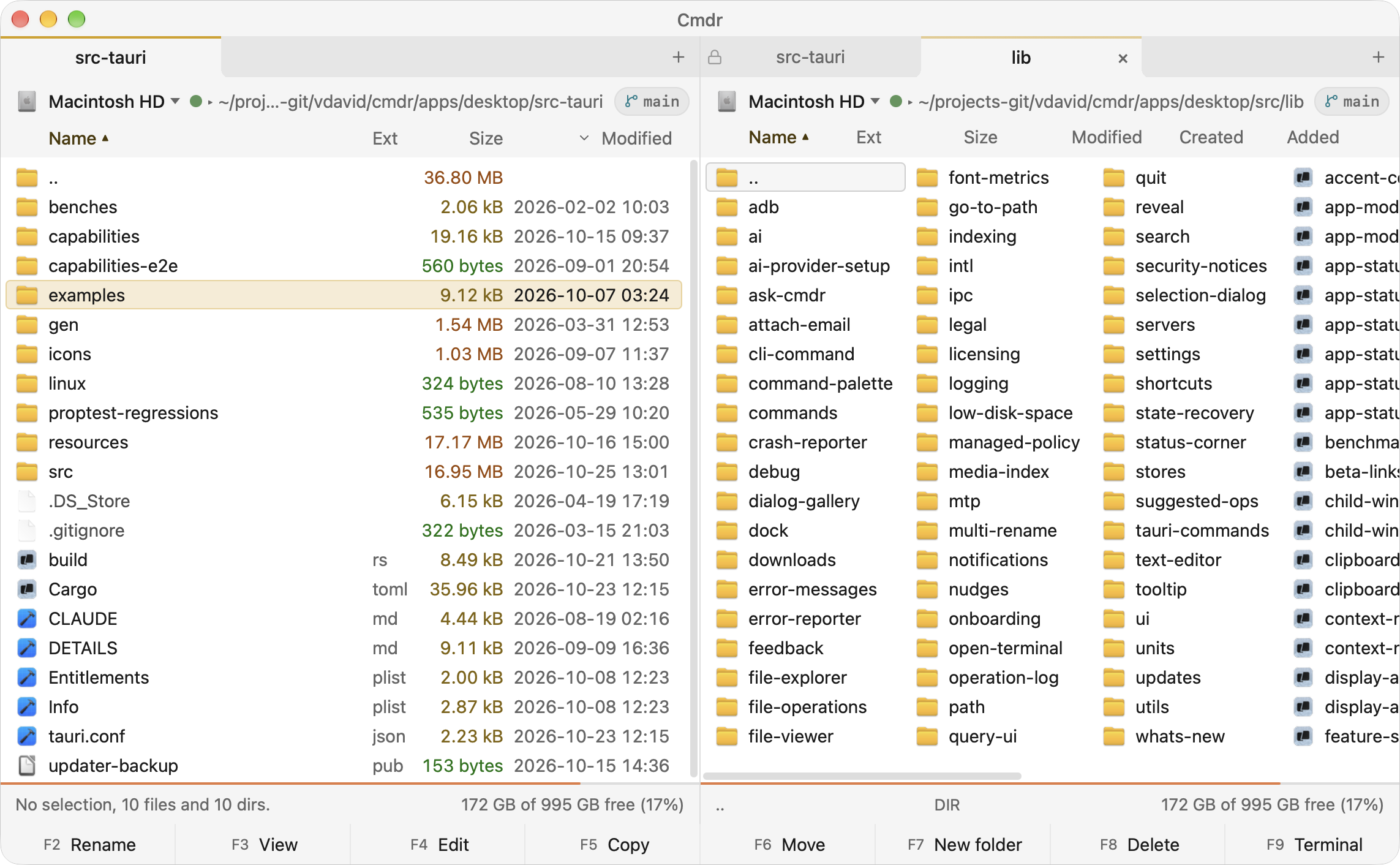
I've been using this file manager for a while now and truth to be told - it is a neat piece of software. Works as intended and I am giving it 10/10.
Final Flow
Now my Filen cloud syncs to my folder at ~/FilenData and I have Cmdr file manager opened most of the time in that folder.
When a file arrives (let's say as an email attachment) and I want to save it somewhere, I just download it to my ~/Downloads folder and within Cmdr two-window logic (Downloads folder on the left side, ~/FilenData folder on the right side) I move it with F6 button, rename it with F2 if needed or even create new directory with F7.