Who remembers all their passwords right? That's why we use password managers.
One tool has all of our passwords so naturally we are afraid we lose access to it and don't want another company/harmful actors to get our data.
That's why I strongly recommend you to use open-source password manager. Once something is open-source, it is audited regularly, all security issues are fixed as soon as possible, and you can be sure no company will exploit your data.
For my use case Bitwarden (GitHub page) was the best choice. It is open-source, has US and EU servers and the basic account is free.
One negative thing about Bitwarden is that their servers are still hosted on Azure, so there is a dependency on US Big Tech as per disclaimer below. If you want 100% EU solution you can check Appendix 1 for paid alternatives.
Disclaimer: Bitwarden EU instance still uses Microsoft's Azure to store data, source here.
BUT: Bitwarden servers are only used for storing encrypted data. This means that Microsoft cannot see/steal your data if Bitwarden is doing its job (and open-source community is making sure it does).
If you don't like this you can always self-host or choose an alternative.
In this post I will talk how to migrate from US to EU servers for Bitwarden and will show you another alternatives.
Bitwarden setup & migration
When I started to think about using EU infrastructure I already had an account on Bitwarden.
But I was using their US servers, so I wanted to migrate to EU ones instead of self-hosting.
Since Bitwarden clouds aren't connected they cannot do the migration for you. (so no "Click to migrate" option) and I needed to:
- Export my data from US Bitwarden
- Create an account on EU Bitwarden
- Import my data to EU Bitwarden
- (optional) Cleanup the data
Export the data
Do this in the old US account
Official docs are here and there are many ways how to export your passwords.
Remember that if you export your data in non-encrypted format, once you import it to the new vault delete it from your local machine.
In short what I did:
- You will go to Settings in web app Bitwarden
- Click Tools and Export
- Choose a file format
- Bitwarden can easily import its
jsonandcsvfiles - If you choose
json (encrypted)remember you will need to put a password when importing
- Bitwarden can easily import its
- Save the file to secure location
Create an account in EU cloud
When you try to log in on Bitwarden page you can see something like
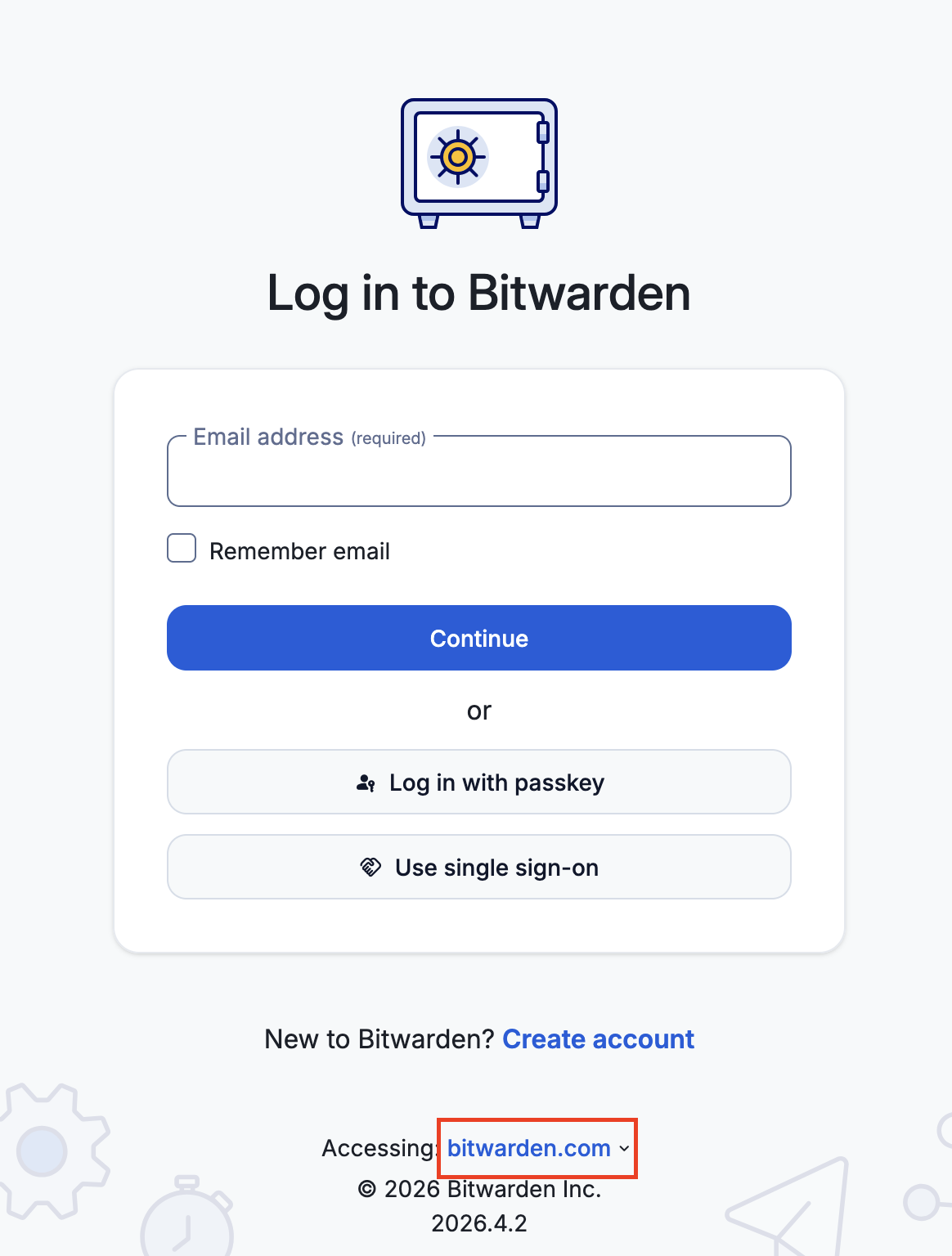
Once you click Create Account and select bitwarden.eu you will be forwarded to the
vault.bitwarden.eu sign-up page.
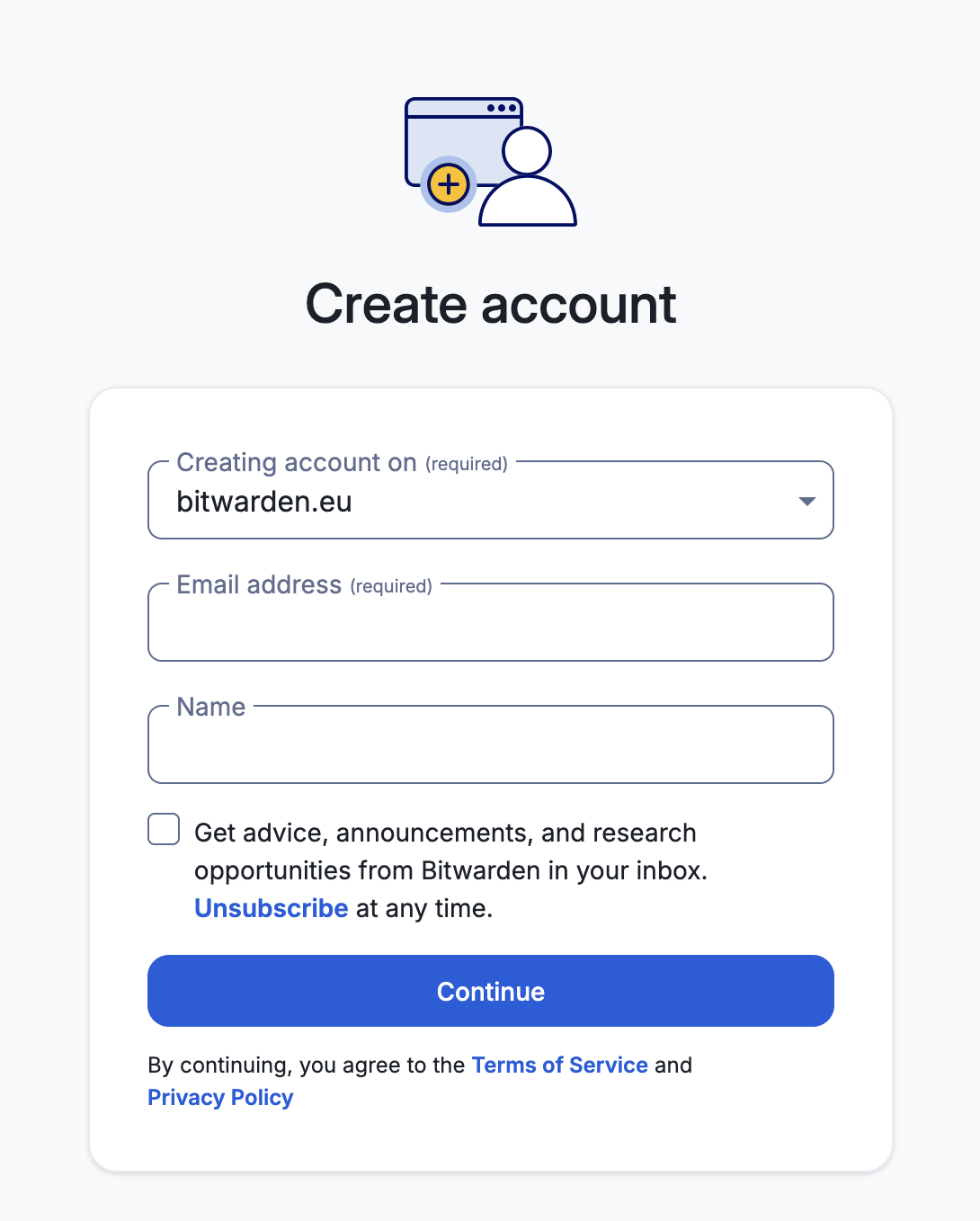
Registering from this point is straightforward, for more info check official Bitwarden docs.
Import the data
Do this in your new EU account
Official docs are here.
In short what I did:
- You will go to Settings in web app Bitwarden
- Click Tools and Import
- Choose a vault and a folder
- If you want to clean up the data later I would suggest creating a separate new folder (let's say
imported)
- If you want to clean up the data later I would suggest creating a separate new folder (let's say
- Select file format (same one you chose when exporting the data)
- Click Import and wait
Cleanup the data
When I was doing the migration my secondary goal was to also clean up the data.
I used Gmail and recently started to use Soverin, you can read about it here, and I wanted to either remove my old accounts or port them to the new Soverin account.
If you imported your files to a separate folder (let's say imported) now is the time to go one-by-one and either change the email to the new one or delete the account.
Don't try to be done in one day - this will take you multiple iterations.
Appendix 1
Even though I am using Bitwarden, you can use whatever manager you want. Checkout either many options here at european-alternatives.eu website or my table below where I listed some of the open-source choices.
Disclaimer: I am not affiliated with these managers and data I've found could change. Do your own research.
| Tool Name | Price | Open-Source | EU hosted + Data location |
|---|---|---|---|
| proton pass | free or from €4.99/month | Yes | Yes, Switzerland |
| bitwarden | free or from €1.4/month | Yes | EU yes but Microsoft Azure |
| passbolt | from €5/month/user, only for minimum of 10 people, but you can self-host | Yes | EU yes but Google Cloud Platform, 100% EU datacenter from €7/month/user |
My summary is:
- If you have Proton already and want to use their ecosystem → Proton Pass
- If you want free and open-source with some of the downsides (Azure servers) → Bitwarden
- If you are a big team or want to self-host → Passbolt
As always feel free to contact me on blog@sivak.eu if you have any questions.